Oct 5, 2026
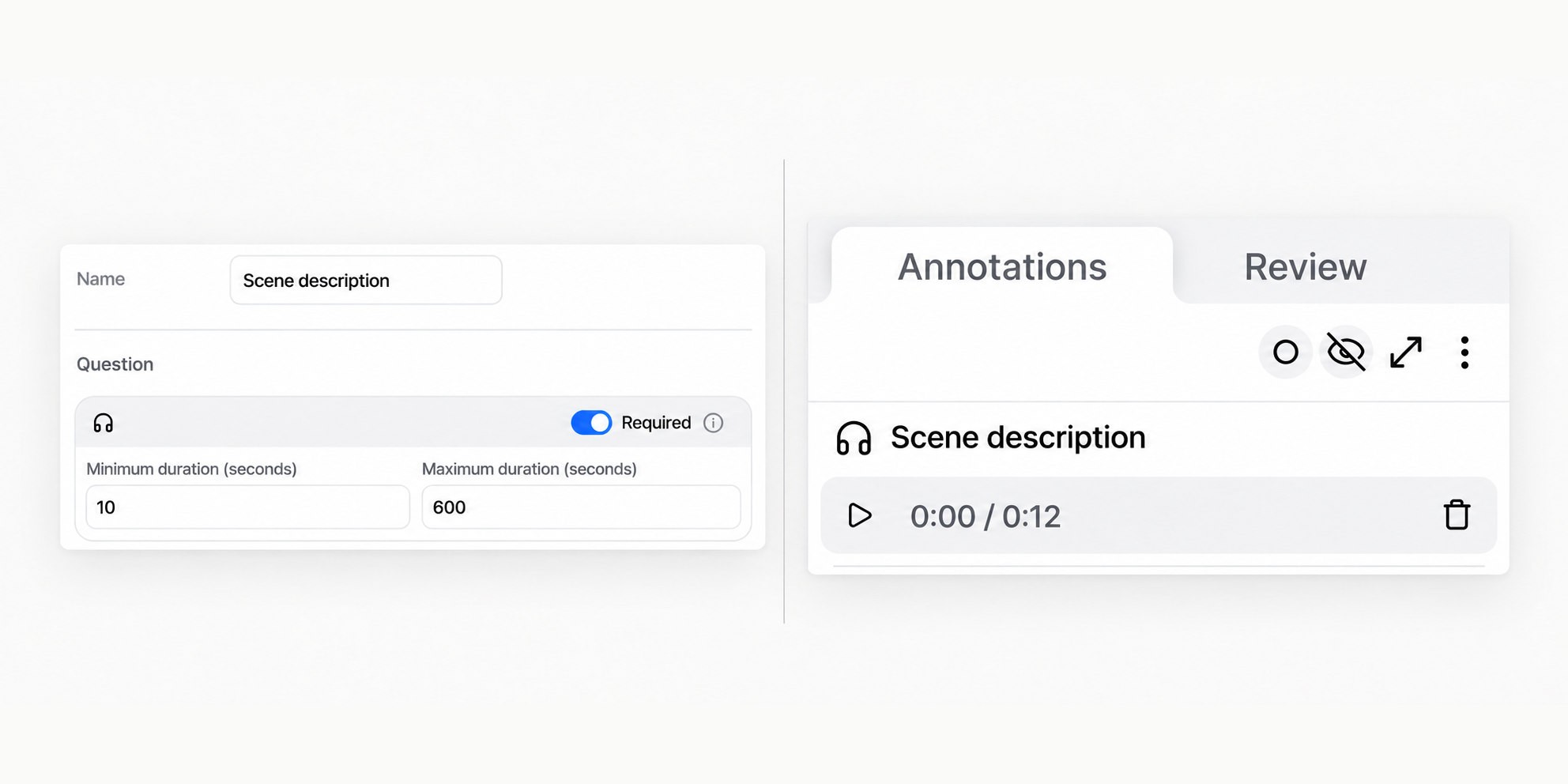
You can now add audio annotations to items in V7 Darwin, so annotators can record spoken responses instead of (or alongside) typed annotations.
Set up an audio annotation as an item-level property in your dataset settings. You can:
Make a recording required or optional
Set a minimum and maximum recording duration
Record, pause, resume, and save audio directly in the annotation interface
Add multiple recordings to the same item
Remove a recording and create a replacement when needed
Audio annotations use the same validation flow as other required properties. If a required recording has not been completed, annotators are prompted to add it before progressing.
This is useful when a spoken explanation is faster or more expressive than text — for example, detailed image captioning, expert observations, or qualitative feedback.
Audio annotations are currently attached to the item as a whole, rather than to a specific video slot or individual annotation instance.

V7 Team